The architecture of digital productivity is evolving as Microsoft merges mobile and desktop ecosystems into a singular, calibrated workspace. Microsoft is currently refining Windows 11 smartphone integration to eliminate the friction between handheld devices and desktop environments. By embedding core Phone Link capabilities directly into the system interface, the tech giant aims to create a seamless operational flow for the modern professional. Consequently, this shift reduces the need for standalone applications, positioning the smartphone as a structural component of the desktop experience.
Optimizing the Windows 11 Smartphone Experience
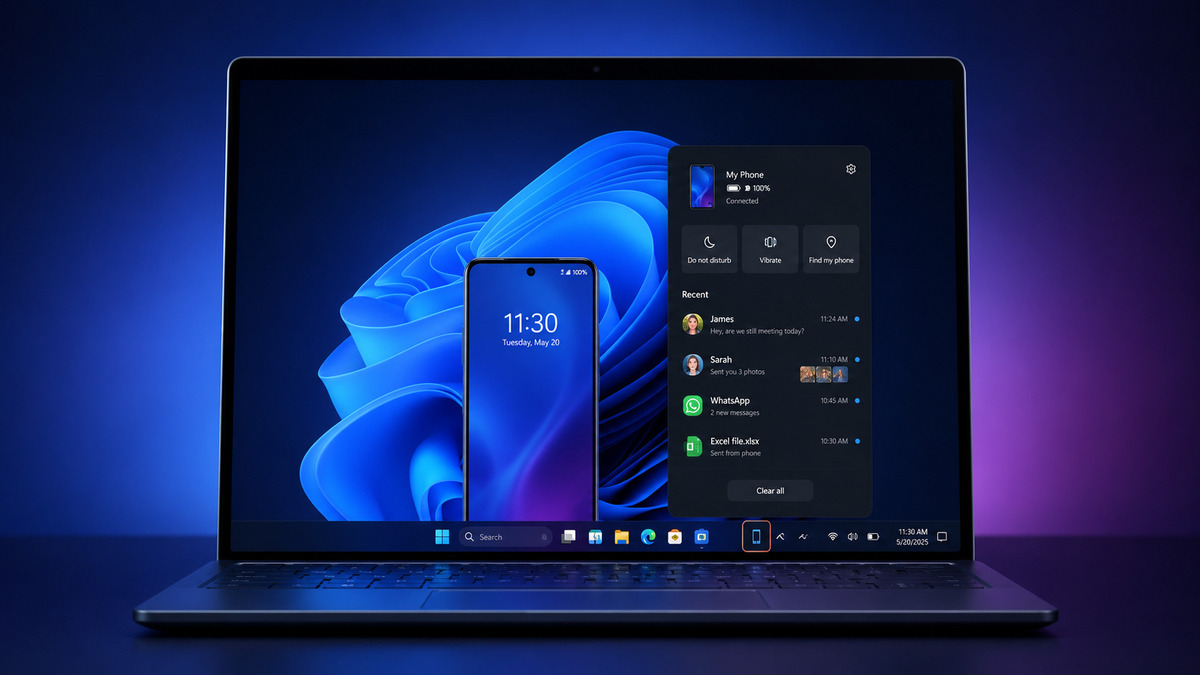
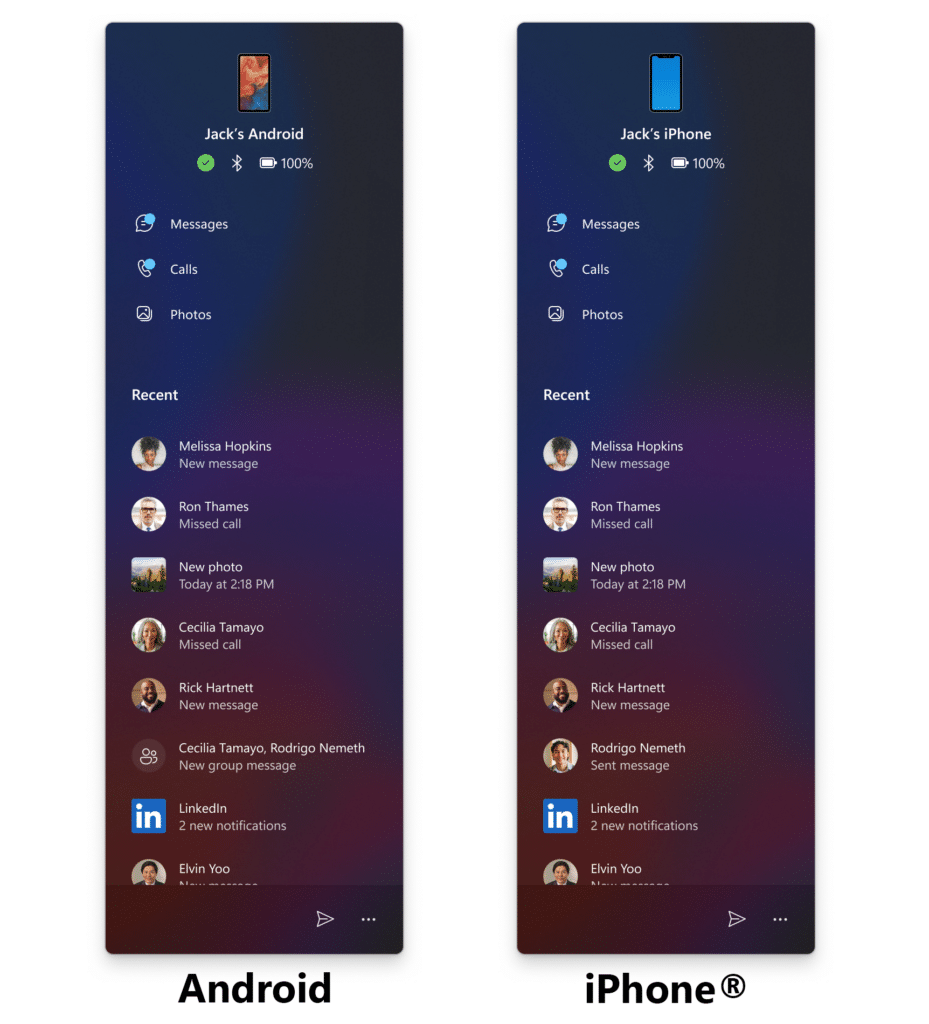
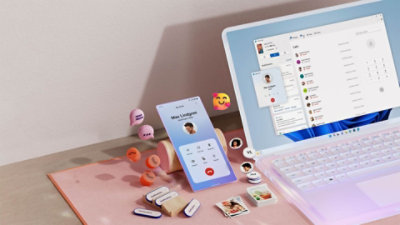
Microsoft is engineering significant enhancements for the mobile companion within the Windows 11 Start menu. This updated panel serves as a strategic dashboard, displaying real-time activity such as messages, calls, and mobile notifications. Users can now navigate their phone data with precision without ever launching a separate app. Furthermore, recent internal tests suggest that hovering over specific activities will trigger detailed previews. This functionality allows users to inspect high-resolution photos or read complete message threads directly from the primary navigation hub.
Strategic Taskbar and System Tray Integration
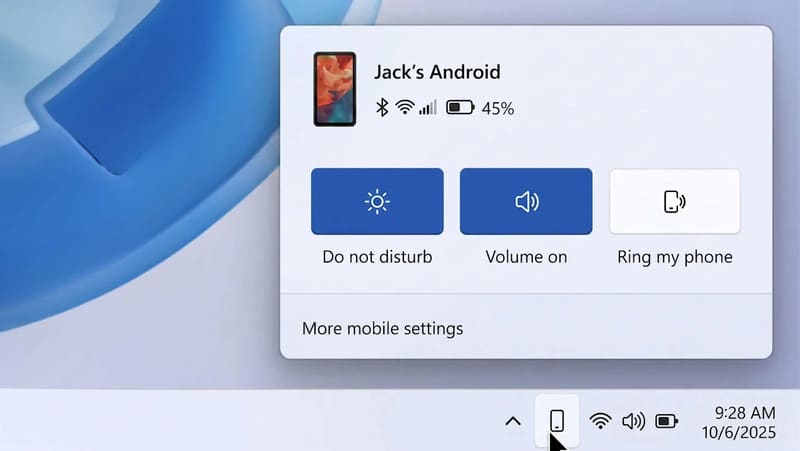
A new smartphone flyout is currently undergoing calibration for the Windows 11 system tray. This feature introduces a dedicated phone icon that acts as a catalyst for immediate device management. When active, this panel provides critical status updates and toggles for vibration modes, Do Not Disturb, and “Find My Phone” services. Additionally, Microsoft is exploring a drag-and-drop mechanism for file sharing. Consequently, transferring documents from a PC to a mobile device could soon become as simple as dropping a file onto a Taskbar icon.
Structural Upgrades: Clipboard Sync and Dedicated Messaging
Beyond visual updates, Microsoft is focusing on structural data synchronisation through a universal clipboard. This feature integrates Windows 11 smartphone clipboard history with the existing desktop history. Instead of only syncing the most recent snippet, users can access a comprehensive list of previously copied items across both platforms. Moreover, a dedicated Messages app is in development. This standalone application will permit users to initiate SMS conversations and manage contacts through a native Windows interface, further decoupling mobile communication from the physical handset.
The Situation Room Analysis
The Translation
Microsoft is executing a transition from “app-based connectivity” to “system-level integration.” In simpler terms, your smartphone is no longer treated as an external peripheral; it is becoming a virtual partition of the Windows operating system itself. By moving features out of the Phone Link app and into the Start menu and Taskbar, Microsoft is reducing the cognitive load required to switch between devices, creating a more unified computing baseline.
The Socio-Economic Impact
For the Pakistani workforce—particularly freelancers and remote students—this development is a major efficiency catalyst. Many professionals in Karachi and Lahore manage international clients primarily through mobile apps while working on PCs. These updates minimize hardware-switching time, which directly correlates to increased billable hours and improved focus. It levels the playing field for users who may not have high-end “ecosystem” devices but require professional-grade synchronisation.
The Forward Path (Opinion)
This development represents a Momentum Shift. Microsoft is finally acknowledging that the smartphone, not the PC, is the primary anchor of modern life. By making Windows subservient to mobile notifications and data, they are ensuring the desktop remains relevant in a mobile-first world. While these features are currently in the “prototype” phase, their implementation is a logical necessity for any OS seeking to remain a productive baseline in 2026.