
Unlocking Digital Efficiency: The WordPress AI Assistant
The strategic integration of automation is paramount for accelerating digital advancement. WordPress.com, a leading hosting platform, has unveiled a built-in WordPress AI Assistant, fundamentally changing how users interact with their websites. This sophisticated tool enables precise modifications to website layouts, designs, and content through intuitive natural language commands. Consequently, the assistant streamlines site management, offering real-time visual updates and significantly enhancing collaborative editing workflows through its intelligent AI functionality. This represents a calibrated step towards more efficient digital infrastructure.
Automattic, the parent company of WordPress.com, announced this groundbreaking feature, embedding the AI directly within the site’s interface. It intelligently comprehends existing content and layout, allowing owners to implement changes effortlessly. Furthermore, users can articulate general instructions, such as making a section appear more modern or spacious, adjusting site colors for brightness, or suggesting cleaner, more professional fonts. The assistant processes these requests, displaying changes instantaneously, thereby optimizing the user experience.
The Translation: AI-Driven Website Management for All
Understanding “natural language commands” is crucial for appreciating the AI Assistant’s utility. Essentially, this means users can articulate their design or content needs in plain English, much like conversing with a human designer or editor. The AI interprets these instructions, translating them into actionable code and visual adjustments on the website. For instance, instead of navigating complex menus to alter a font, a user can simply type, “Make the main heading font more professional.” This system democratizes advanced web development, making sophisticated changes accessible without requiring specialized technical skills.

Moreover, the AI is designed to be highly adaptive. It learns from user input and website context, ensuring that modifications align with the overall site aesthetic and purpose. This intelligent contextual awareness minimizes the need for highly specific technical jargon, allowing creative visions to be realized with unprecedented ease. Therefore, the barrier to entry for website design and content creation is substantially lowered, empowering a broader demographic of users.
Socio-Economic Impact: Empowering Pakistani Digital Citizens
The introduction of the WordPress AI Assistant holds significant implications for Pakistani citizens across various sectors. For small businesses and startups in urban and rural areas, this tool dramatically reduces the cost and complexity associated with establishing an online presence. Previously, hiring web developers or designers could be a prohibitive expense. Now, entrepreneurs can independently manage and refine their digital storefronts, fostering economic growth and expanding market reach. This directly impacts the scalability of local ventures.
Students and aspiring professionals in Pakistan’s rapidly growing tech sector can leverage this AI for rapid prototyping and learning. It provides an intuitive platform to experiment with design principles and content strategies without deep coding knowledge. Consequently, it accelerates skill acquisition and innovation. Furthermore, content creators and bloggers can focus more on generating high-quality material, as the AI efficiently handles the technical aspects of presentation and optimization. This enhances digital literacy and provides new avenues for income generation within the digital economy. Rural households with access to internet can create basic websites for their small scale businesses.
Enabling the AI Assistant: A Structural Overview
Activating the AI Assistant is a straightforward, manual process, ensuring user control over its integration. Users access their Sites list, select a specific site, and navigate to the Settings panel. Within the “AI tools” section, they can toggle on the “Enable AI assistant” option. This calibrated activation sequence ensures intentional deployment. Conversely, customers utilizing the AI website builder during initial setup will find the assistant automatically pre-enabled, streamlining their onboarding experience for immediate productivity.
Advanced Capabilities: Layout, Content, and Collaboration
Beyond basic aesthetic adjustments, the AI assistant demonstrates structural capabilities. Users can command it to add critical elements such as a contact page or insert a testimonials section beneath an existing content block. These advanced structural changes are fully compatible exclusively with block themes, ensuring modern website architecture. Importantly, the assistant does not support classic themes, indicating a strategic focus on contemporary design frameworks.
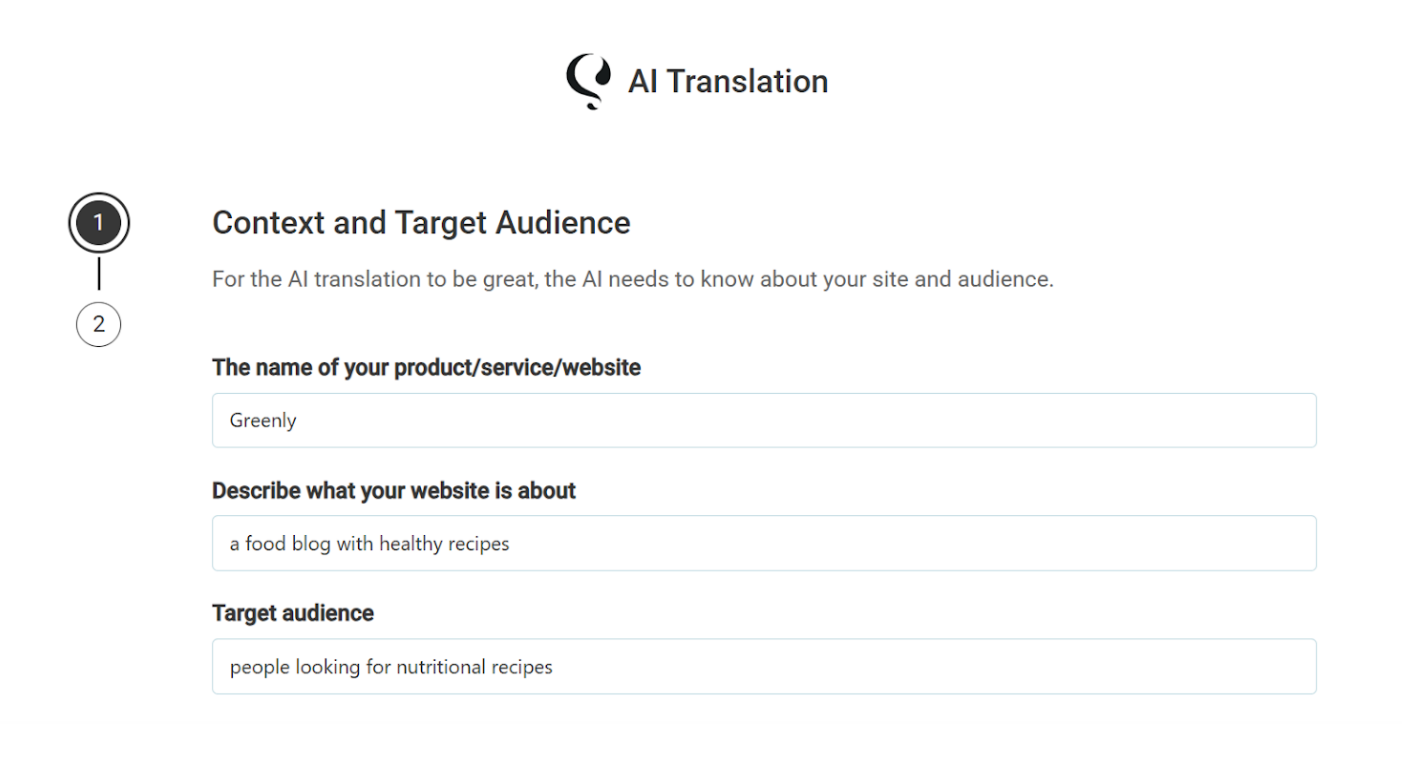
Furthermore, the tool significantly enhances content workflows. Site owners can request intelligent rewrites of existing text, such as refining a biography to sound more confident, or translating entire sections into different languages. This multilingual capability expands global reach. Additionally, the AI functions as a robust editorial assistant, suggesting compelling headlines, meticulously checking facts, and providing precise grammar and writing recommendations. This functionality is seamlessly integrated into the block notes editor introduced in WordPress 6.9, which facilitates collaborative teamwork. Users can summon the assistant by typing @ai followed by their request, receiving immediate, context-rich responses that include relevant links and citations for accuracy.
Visual Innovation: Gemini Nano AI for Image Generation
For visual content optimization, the WordPress AI Assistant leverages advanced Google Gemini Nano AI models. These powerful models are engineered to generate entirely new images or precisely modify existing visual assets. This capability is readily accessible via a “Generate Image” button located within the Media Library. Users can define specific image styles or set precise aspect ratios, ensuring visual consistency and creative control. This integration signifies a commitment to cutting-edge AI in multimedia management, further enhancing the platform’s utility.

The “Forward Path”: A Momentum Shift in Digital Creation
This development undeniably represents a