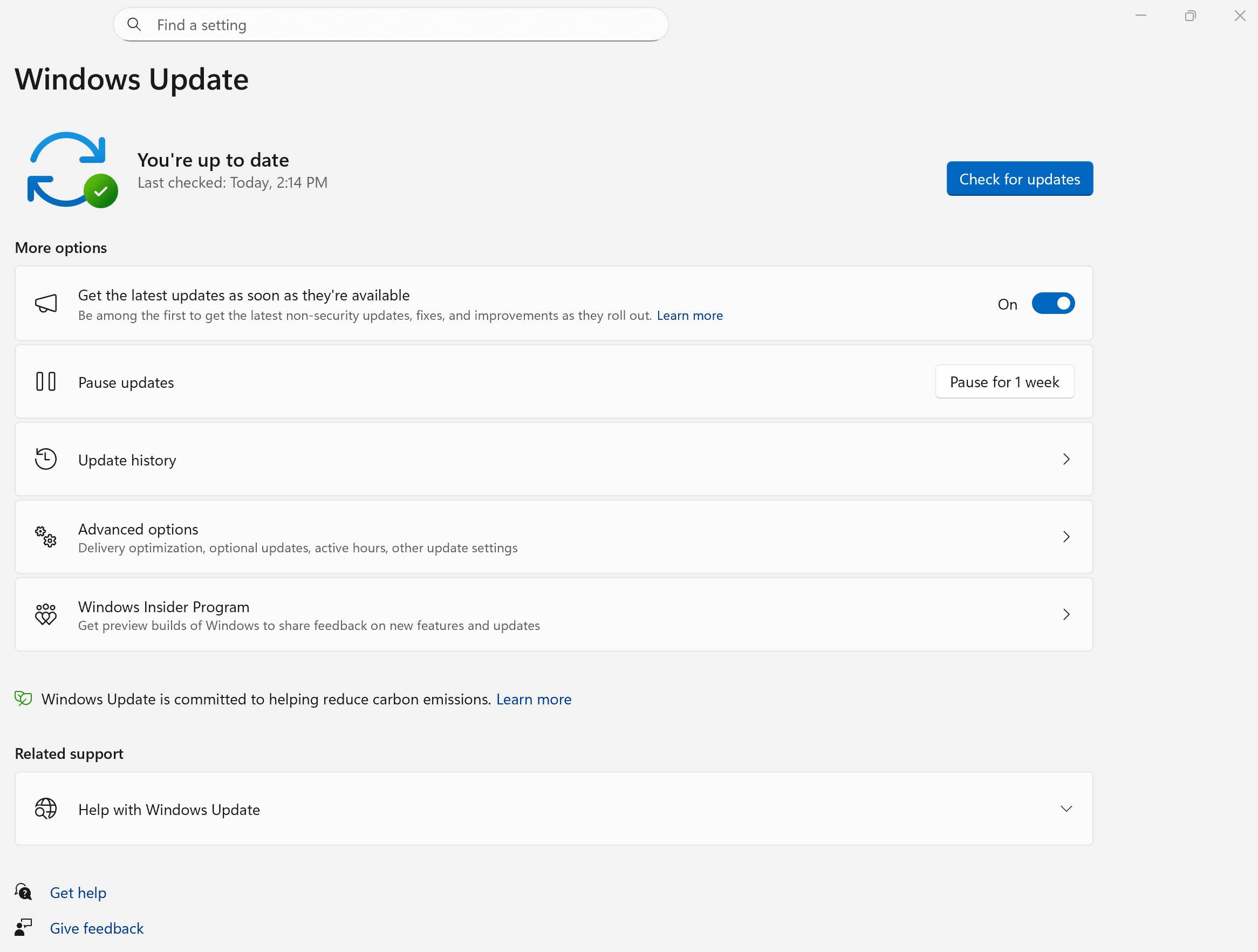
The strategic evolution of operating systems is a foundational element for national digital advancement. Microsoft has strategically calibrated the Windows 11 features with a suite of critical updates in Q1 2026, targeting enhanced system efficiency and user experience. These structural improvements prioritize seamless cross-device integration, advanced system diagnostics, and expanded hardware security, acting as a direct catalyst for productivity across the Pakistani digital landscape. Furthermore, these updates underscore Microsoft’s commitment to refining core functionalities, ensuring a more responsive and secure computing environment for all users.
Elevating Productivity with New Windows 11 Features
Microsoft’s latest updates to Windows 11 are not mere incremental changes; rather, they represent a precise engineering effort to optimize user workflows and system stability. These Windows 11 features introduce a new baseline for operational excellence, integrating functionalities that directly address modern digital demands. Consequently, users can anticipate a more streamlined and secure interaction with their devices.
The Translation: What This Means for Our Digital Frontier
These updates translate directly into tangible benefits. Users will experience heightened convenience through better device synchronization and improved diagnostic tools. Similarly, enhanced security protocols provide a more robust defense against digital threats, safeguarding personal and professional data. This systemic refinement is crucial for fostering an environment of sustained digital growth.
The Socio-Economic Impact: Daily Life in Pakistan
For Pakistani citizens, these advancements mean significant improvements. Students can effortlessly transition assignments between their phones and PCs, fostering a more fluid learning experience. Professionals will benefit from quicker troubleshooting with built-in speed tests, reducing downtime and boosting efficiency. Ultimately, these Windows 11 features aim to democratize access to high-performance computing, fostering digital literacy and economic participation in both urban and rural settings. This ensures that the foundational tools for progress are readily available.
The Forward Path: A Momentum Shift
These strategic updates constitute a Momentum Shift. They are not merely maintenance but rather a calculated push towards a more integrated, efficient, and secure digital ecosystem for Pakistan. This proactive development sets a new standard for operational synergy and user empowerment.
Enhanced Cross-Device Integration: Seamless Workflow on Windows 11

Cross-Device Resume for Android Apps
A pivotal addition is the Cross-Device Resume feature. This functionality empowers users to seamlessly continue tasks initiated on their Android phones directly onto their Windows 11 computers. For instance, Spotify playback, Word document editing, or active browsing sessions can be resumed from the Taskbar, ensuring uninterrupted workflow. This precision-engineered feature operates via the Phone Link and Link to Windows applications, requiring a simple activation from the Taskbar settings.

The Translation: Unlocking Uninterrupted Productivity
This means your digital activities are no longer confined to a single device. The system remembers your exact point of engagement, allowing for a fluid transition between mobile and desktop environments. Consequently, whether you’re commuting or at your desk, your work progresses without interruption, maximizing efficiency.
The Socio-Economic Impact: Bridging Digital Divides
This feature significantly impacts productivity for students and professionals in Pakistan. A university student can start reading an e-book on their phone during a bus ride and continue on their laptop at home without losing their place. Similarly, a small business owner can review a document on their phone and complete edits on their PC, optimizing their time. This feature acts as a catalyst for continuous engagement, reducing friction in daily digital tasks.
The Forward Path: A Momentum Shift
This represents a Momentum Shift, fundamentally altering how users interact with their devices. It fosters a truly integrated digital experience, propelling efficiency forward.
Advanced System Capabilities: MIDI & Network Diagnostics

Windows MIDI Services Enhancements
Microsoft has introduced substantial improvements to Windows MIDI Services. These enhancements provide robust support for both MIDI 1.0 and the advanced MIDI 2.0 standards. Key capabilities now include shared MIDI ports across multiple applications, custom port naming for organizational clarity, integrated loopback functionality, and secure app-to-app MIDI communication. These calibrated improvements are designed to significantly elevate the experience for digital musicians and software developers utilizing MIDI technology.
The Translation: Empowering Creative Professionals
For creators and developers, this translates to unparalleled flexibility and control over MIDI devices. The ability to share ports, rename them, and establish app-to-app communication streamlines complex setups, enabling more intricate musical compositions and robust software development. It’s a structural upgrade for the creative digital workspace.

Built-in Network Speed Test for Optimized Connectivity
Windows 11 now integrates a native network speed test accessible directly from the Taskbar or Quick Settings. This feature, upon activation, directs users to a Bing webpage to accurately measure internet speed. Consequently, it facilitates the rapid diagnosis of connectivity issues or performance bottlenecks. This strategic addition provides users with an immediate, baseline assessment of their network infrastructure.
The Translation: Immediate Connectivity Insights
Users no longer require third-party applications to gauge their internet performance. This built-in tool offers immediate feedback on connection quality, empowering individuals to quickly identify and address potential network problems. It’s a precision instrument for digital self-service, ensuring optimal online experiences.
The Socio-Economic Impact: Reliable Digital Access
For households and small businesses in Pakistan, a reliable internet connection is paramount. This built-in speed test provides a critical tool for identifying service provider issues, ensuring citizens receive the internet speeds they pay for. It empowers users to advocate for better service, directly influencing productivity and access to online education and commerce. This is a stabilization move that reinforces digital infrastructure reliability.
The Forward Path: A Stabilization Move
These features collectively represent a Stabilization Move, solidifying Windows 11’s foundation as a robust platform for both creative and everyday computing. They ensure that core functionalities are not only present but also optimally performed.
Elevated Security & System Management

Expanded Windows Hello Sensor Support
The latest update expands Windows Hello Enhanced Sign-in Security to now support external fingerprint readers. Previously, this robust security feature was exclusively compatible with integrated biometric sensors. Users can now strategically configure compatible external fingerprint devices via the Sign-in options page within the Settings app, augmenting device security with greater flexibility.

The Translation: Flexible, Enhanced Biometric Security
This means users are no longer limited to internal hardware for advanced biometric authentication. The ability to use external sensors offers greater choice and accessibility for implementing strong security measures, particularly for desktop users or those with specialized hardware needs. It is a strategic enhancement to system integrity.

Device Information Card in Settings
The Settings Home page now features a streamlined Device Info card. This card precisely displays crucial hardware specifications, encompassing processor details, memory capacity, graphics configuration, and storage parameters. Furthermore, it offers rapid access to the “About” page, where users can retrieve more exhaustive hardware information. This provides a baseline understanding of system specifications at a glance.

Quick Machine Recovery Expanded to Pro Devices
Microsoft has strategically expanded Quick Machine Recovery functionality to Windows 11 Pro devices. This essential feature, previously a default only on the Home edition, is now actively enabled on the majority of Pro devices. Consequently, it significantly aids systems in automatically recovering from startup anomalies, thereby maintaining operational continuity and reducing user intervention. This is a structural improvement for system resilience.

Native Support for Sysmon
Windows 11 now integrates Sysmon (System Monitor) as a native feature. Sysmon stands as a powerful, precision tool indispensable for system administrators. It meticulously monitors system activity, thereby significantly enhancing logging capabilities for security and diagnostic purposes. Users can install it directly from the Optional Features section within the Settings app, streamlining its deployment.
The Socio-Economic Impact: Secure Digital Ecosystem
Enhanced security features, like expanded Windows Hello support, provide a stronger defense against unauthorized access, protecting sensitive data for both individuals and businesses. Quick Machine Recovery reduces frustrating downtime, which is crucial for professionals and students reliant on their devices. Sysmon offers IT professionals in Pakistani organizations robust tools for system security and audit, elevating the national cybersecurity posture. These are critical enhancements for a secure digital ecosystem.
The Forward Path: A Stabilization Move
These collective updates represent a Stabilization Move, bolstering the core security and management capabilities of Windows 11. They create a more resilient and manageable computing environment.
User Experience Refinements: Visuals & Controls

WebP Wallpaper Support
A refined yet practical addition is the native support for WebP image files as desktop wallpapers. Users can now leverage the efficiency of WebP format for their backgrounds, setting these images directly through system settings or via the “Set as background” option. This subtle improvement offers more visual versatility and potentially faster loading for wallpapers.

Camera Settings Enhancements
Microsoft has integrated new pan and tilt controls within the camera settings page. This provides users with more granular, precision control over compatible webcams. Consequently, it enhances the user experience for video conferencing, content creation, and remote collaboration, offering superior adjustability.

The Socio-Economic Impact: Improved Digital Interaction
These enhancements, though seemingly minor, contribute to a more polished digital experience. WebP wallpaper support offers more aesthetic flexibility, while improved camera controls benefit remote workers and online educators in Pakistan, enabling clearer communication and presentations. These details collectively enhance daily digital interactions, making Windows 11 a more user-centric platform.
The Forward Path: A Stabilization Move
These refinements collectively underscore a Stabilization Move, honing the existing user interface and ensuring a more polished, versatile user experience.
Optimizing Your Digital Ecosystem with Windows 11 Features
The Q1 2026 updates for Windows 11, while not introducing radical shifts, represent a disciplined effort to refine and optimize the operating system’s core capabilities. These new Windows 11 features — from the efficiency of cross-device resume to the precision of built-in network diagnostics and expanded security options — collectively enhance both daily convenience and underlying system robustness. Ultimately, Microsoft’s ongoing calibration ensures that Windows 11 remains a powerful, reliable, and adaptive platform, fostering national digital progress and user empowerment across Pakistan.